Analysis & phrase matching
BPM, downbeat and structure detection. The next track starts on beat 1 of a phrase, exactly as the previous one ends its own.
The automatic non‑stop DJ mix.
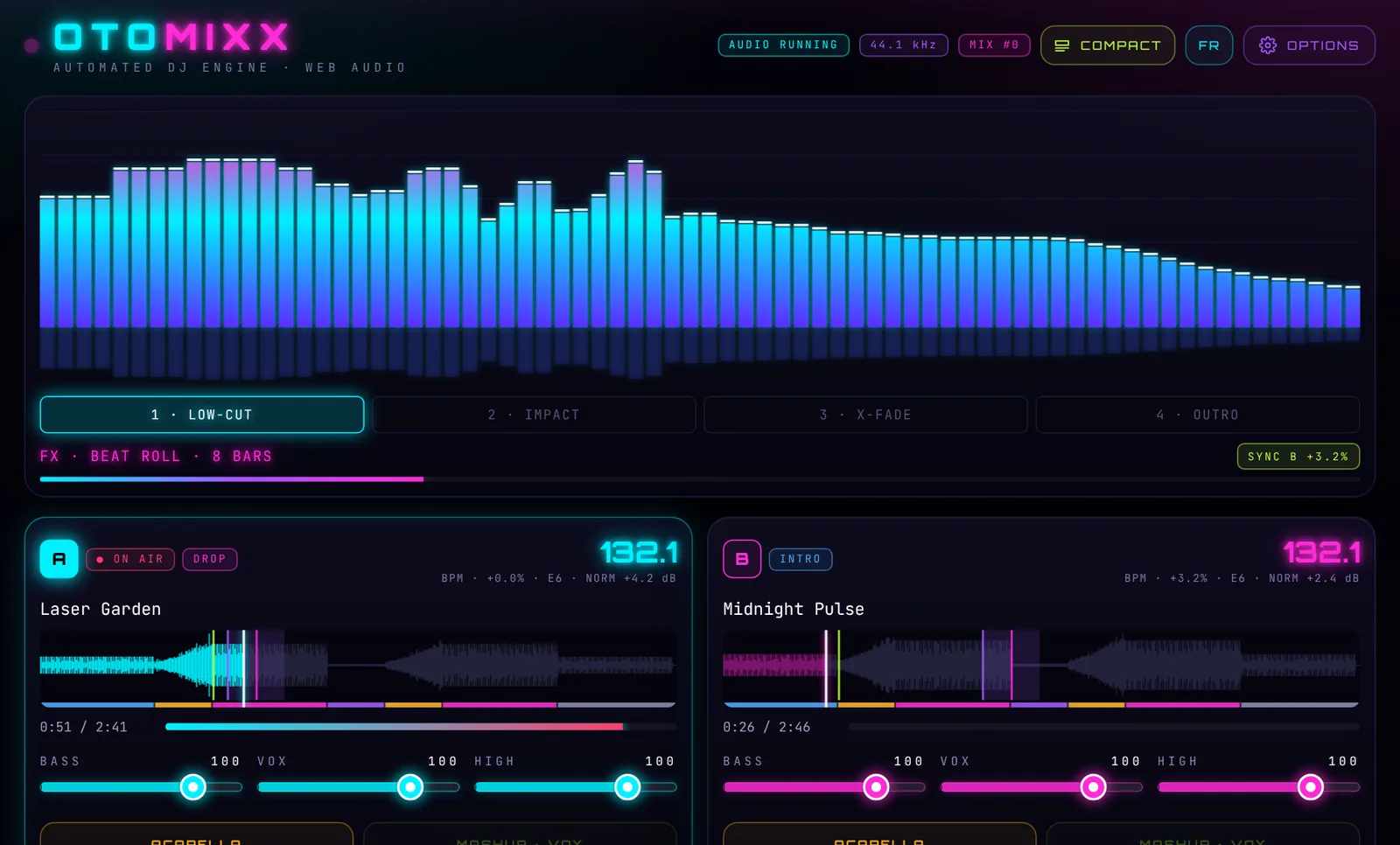
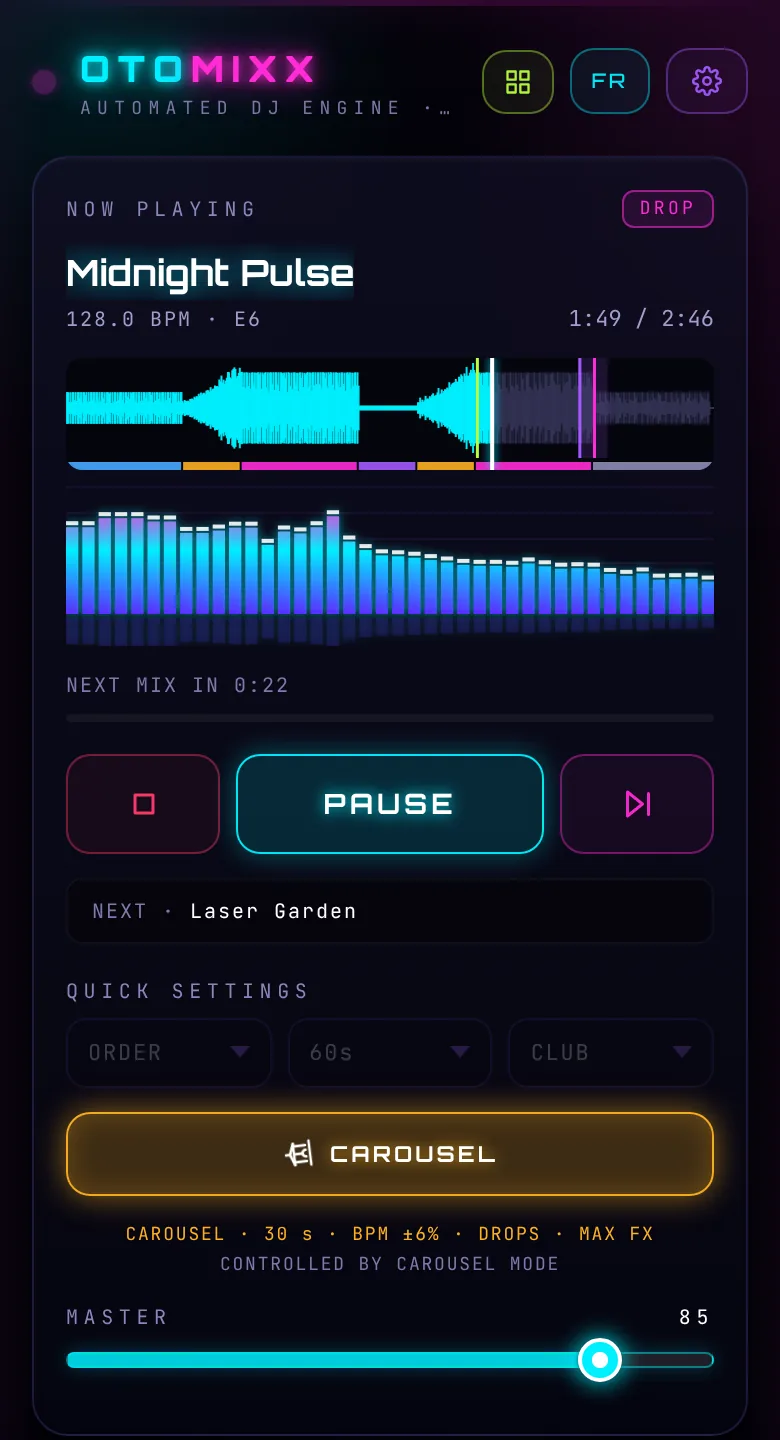
Import your tracks and press PLAY. OTOMIXX detects the tempo and structure of every track (intro, build-up, drop, break, outro), matches the BPM and mixes on musical phrases. Transitions use real DJ effects: filters, rolls, echo freeze, scratch.
Features
The audio engine runs entirely inside the app. No server ever touches your music.
BPM, downbeat and structure detection. The next track starts on beat 1 of a phrase, exactly as the previous one ends its own.
Noise sweep, beat roll, pitch rise, vinyl brake, echo out, reverb wash, flanger, echo freeze, vinyl scratch. Plus manual pads to play along.
A new track every 30 seconds, drops only, between BPM-compatible tracks. Maximum effects, with a “fill” at the end of every phrase.
While a track plays, the next one briefly appears (filter, vocals or beat), then fades out. The final transition then feels natural.
Each deck is split into bass, vocals and highs. Kill the kick (acapella) or lay one track's vocals over another's beat (mashup).
Each track’s perceived loudness is measured (LUFS / EBU R128) and brought to the same level. No more volume jumps between songs.
Playback continues in the background. Control the app from the notification, the lock screen, a Bluetooth headset or your car: play, next, previous.
Files or whole folders, or “Share → OTOMIXX” on Android. Playlists are remembered and can be saved under a name.
Order, shuffle, Build-up (rising energy), Chill down, Peak & Valley. Full or Compact view, in English or French.
Under the hood
Every transition is scheduled sample-accurately on the audio clock and locked to the beats and phrases of both tracks.
A resonant high-pass filter gradually removes the outgoing track’s bass.
The transition effect: roll, noise riser, vinyl brake, echo freeze, scratch…
Equal-power crossfade with a bass swap: the new bass comes in exactly as the old one leaves.
Filters open back up and the new track glides back to its original tempo.
Download
Same features everywhere. The web app installs in one click; the Windows version weighs under 10 MB.
Otomixx.exeOn first launch, if Windows SmartScreen appears: More info → Run anyway. Requires the WebView2 runtime, built into Windows 11.
npm install then npm run buildnpm run build:desktop + tinyjsOpen the web app in Chrome → ⋮ menu → Install app. You can then share tracks to OTOMIXX.
Open the web app in Safari → Share → Add to Home Screen.
In Chrome or Edge, click the Install icon in the address bar. OTOMIXX then opens in its own window.
FAQ
No. Everything happens on your device: analysis, mixing, effects. Files and playlists are stored in your browser, or in the Windows app profile. No track ever leaves your device.
MP3, M4A/AAC, WAV, FLAC, OGG, Opus and AIFF, depending on what your browser can decode. FLAC and Opus work in Chrome, Edge and Firefox.
The engine shines with rhythmic music at a steady tempo: electronic, pop, house, hip-hop… Tracks without a clear beat or with a changing tempo still play, but are mixed more simply.
Yes on Android, Windows and PC, with controls in the notification and on the lock screen. On iPhone, iOS may stop the sound when the screen locks.
Nothing. OTOMIXX is free, with no ads and no account to create.